
Benefits
Eliminate hours of manual data entry per menu, freeing staff for higher-value work.
Reduce pricing errors that cause chargebacks, customer complaints, and lost revenue.
Accelerate restaurant onboarding for food delivery platforms and POS system integrators.
Keep menus synchronised across locations and channels as items and prices change daily.
How it works
- Step 1
Upload
Send the document to the API as a file or a URL no special formatting required.
- Step 2
The engine reads the document
The engine analyzes the page layout and identifies the content that matters. The extraction engine identifies menu layout structures, category headings, item groups, price columns, and ingredient lists, and maps them to the appropriate structured fields, handling non-standard formatting and multi-page menus.
- Step 3
Structured JSON is returned
Every extracted element comes back as structured JSON, positioned and typed, ready to feed into downstream systems.
- Step 4
Confidence-based review
Each field carries a confidence score, so low-confidence results can be routed for human review instead of trusted blindly.
Example fields
A sample of what extraction can return, and many more when they appear on the document.
Features
Extracts dish names, descriptions, prices, currency, ingredients, allergens, and nutritional values.
Handles multi-column layouts, grouped categories (starters, mains, desserts), and specials boards.
Accepts colour and black-and-white scans, low-light phone photos, and scanned PDFs.
Supports English and European languages out of the box, with extendable language packs.
Returns structured JSON ready to push into a database, CMS, or workflow automation tool.
Use cases
Food delivery platform menu synchronisation
When a restaurant updates its prices or adds seasonal specials, the delivery platform must reflect changes instantly across all listings. ByteIt's API ingests the updated menu card and outputs structured item data that can be pushed into the platform's catalogue, reducing manual re-keying and keeping customers from ordering out-of-stock or incorrectly priced items.
Multi-location restaurant chain management
Restaurant groups operating across dozens of locations need to maintain consistent menus while allowing local variations. Extraction from centralised or store-submitted menu cards feeds a unified data layer that powers POS systems, digital menu boards, and online ordering, all without a dedicated data-entry team.
Competitive menu intelligence and market research
Food industry analysts and hospitality consultancies track pricing, ingredient trends, and menu engineering moves across competitors. Processing bulk menu card collections through the API turns unstructured PDFs and scans into structured data ready for analysis, trend spotting, and benchmarking reports.
Allergen and nutritional compliance for hospitality
Regulations in the EU and US require restaurants to communicate allergen and nutritional information to customers. Extracting this data directly from menu cards allows operators to populate digital menus, allergen filters, and nutritional calculators without manual transcription, reducing compliance risk and improving guest experience.
Workflow integration into back-office systems
Extracted menu data can be routed via no-code tools such as n8n, Zapier, or Make into accounting software for cost analysis, into procurement systems for ingredient ordering, or into a central product information management (PIM) platform, keeping downstream systems in sync without custom development.
LIVE DEMO
See it in action
Upload a sample menu card in PDF, JPG, or PNG format and watch the engine extract dish names, prices, ingredients, and more in real time.
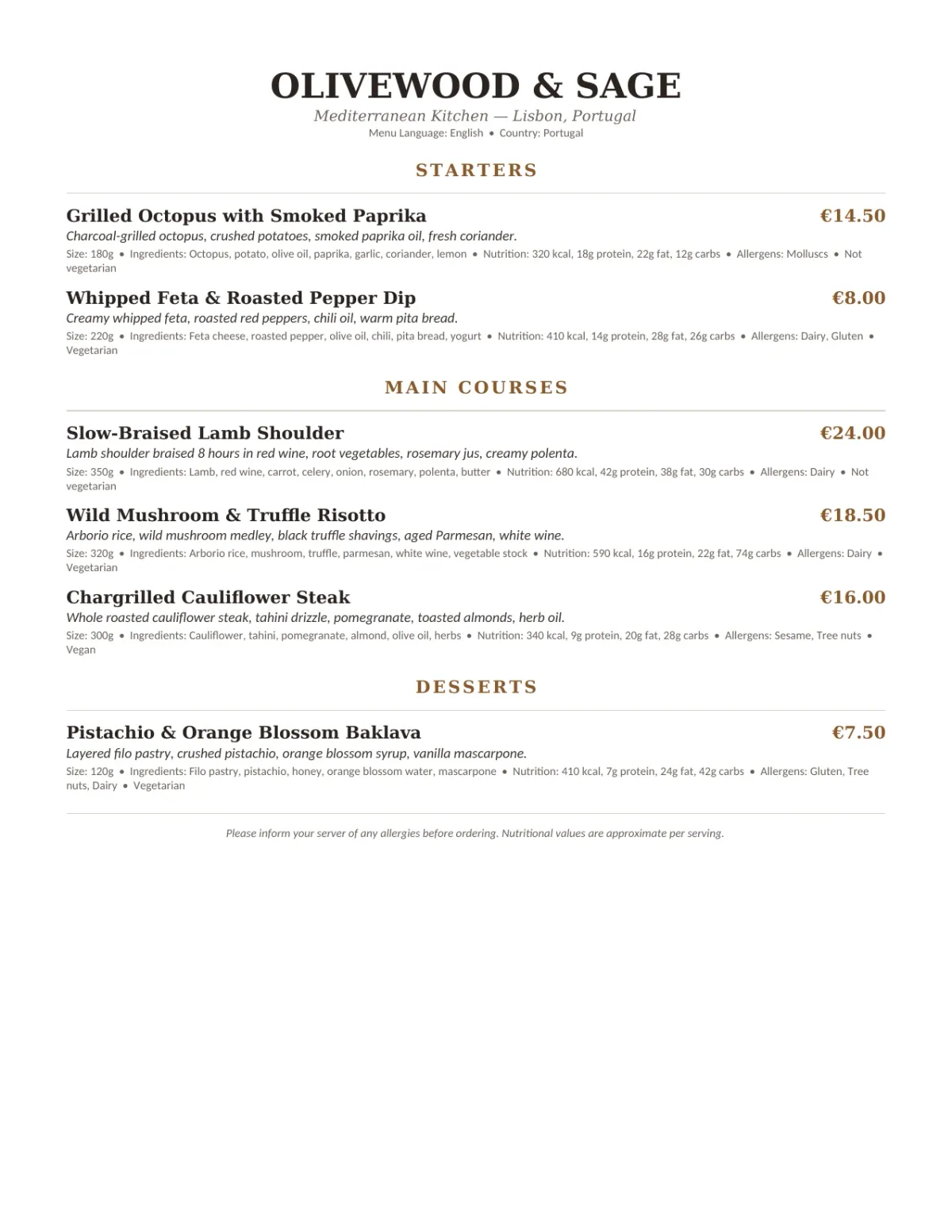
Select a document and press Parse
Want to run it on your own documents?
Ready to dive in? Request a key to get started.Business advantages
- Cuts menu processing time from hours to seconds.
- Reduces data entry errors that lead to customer complaints.
- Handles high-volume batch processing for enterprise deployments.
- Requires no training data or manual setup, works out of the box.
Frequently asked questions
How much does the Menu Card extraction API cost?
ByteIt offers a pay-as-you-go pricing model with a free tier to get started. After the free credits, you are billed per page processed. Visit the ByteIt pricing page for the latest rates and volume discounts for high-throughput use cases.
How do I integrate the Menu Card API into my application?
The API is REST-based and returns structured JSON. You can call it directly from any programming language or connect it to no-code workflow tools such as n8n, Zapier, or Make for automated menu processing pipelines without writing code.
What languages does the engine support for menu extraction?
The extraction engine works with English and most European languages. Additional language packs can be configured for menus in other scripts. If your use case requires a language not currently covered, contact ByteIt to discuss custom training.
What file formats are accepted?
The API accepts PDF, JPG, JPEG, PNG, and TIFF files. Scanned images and digital PDFs are both supported, including colour and black-and-white documents.
How well does it handle low-quality scans or photos of menu cards?
The engine includes pre-processing steps that deskew, denoise, and enhance contrast before extraction. While a clear, well-lit image yields the best results, the system handles reasonable photo imperfections such as shadows, glare, and slight blur.
Can it process multi-page menu cards or specials boards?
Yes. The API processes multi-page documents page by page and assembles a single structured output. Category groupings (starters, mains, desserts) and separate specials sheets are handled within the same document submission.