
Benefits
Eliminates manual keying of taxpayer names, SSNs, income figures, and refund amounts across hundreds or thousands of returns during tax season.
Reduces processing time per return significantly, letting tax professionals focus on review and advisory work.
Minimises transcription errors on critical fields such as Social Security Numbers and taxable income, which can trigger IRS mismatches and penalties.
Scales on demand during peak filing periods without adding temporary data-entry headcount or overtime costs.
How it works
- Step 1
Upload
Send the document to the API as a file or a URL no special formatting required.
- Step 2
The engine reads the document
The engine analyzes the page layout and identifies the content that matters. The extraction engine reads the first two pages of the 2024 IRS Form 1040, identifying and transcribing all printed and machine-written fields including taxpayer and spouse identifiers, income entries, adjustments, tax computation figures, and refund or amount owed.
- Step 3
Structured JSON is returned
Every extracted element comes back as structured JSON, positioned and typed, ready to feed into downstream systems.
- Step 4
Confidence-based review
Each field carries a confidence score, so low-confidence results can be routed for human review instead of trusted blindly.
Example fields
A sample of what extraction can return, and many more when they appear on the document.
Features
Extracts taxpayer full name, SSN/TIN, date of birth, and mailing address from the 1040 header section.
Captures filing status, business income and loss, taxable income amount, tax credits, and total tax payments or refund amount.
Reads employment details including employer names and income breakdowns from the income section of the form.
Returns extracted data as structured JSON via a single REST API call, compatible with PDF, JPG, PNG, and other common document formats.
Handles scanned, photocopied, and digitally generated 1040 forms without requiring template configuration.
Use cases
Tax Preparation and Review Automation
Accounting firms and tax preparers can ingest client-submitted 1040 PDFs through ByteIt's API and have taxpayer data populated directly into tax preparation software, reducing double data entry and freeing reviewers for higher-value analysis of deductions and credits.
KYC and Identity Verification for Financial Services
Lenders and financial institutions can extract identity details (name, SSN, address) from submitted 1040 forms as part of income verification workflows for mortgage, personal loan, or credit applications, cross-referencing the data against applicant-provided information, with a human review step for high-stakes decisions.
Portfolio and Refund Aggregation for Consumer Apps
Personal finance platforms can offer users the ability to upload their filed 1040 forms, extract refund amounts, adjusted gross income, and tax liability data, then display the information alongside other financial accounts for a complete financial snapshot.
Data Pipeline for Tax Analytics and Compliance Reporting
Enterprises managing large numbers of contractor or employee returns can pipe extracted 1040 data into analytics dashboards or compliance systems using workflow automation tools such as n8n, Zapier, or Make, enabling year-over-year comparisons and audit-readiness without manual spreadsheet work.
LIVE DEMO
Try extracting data from a Form 1040
Upload a sample IRS Form 1040 PDF or image, or pick one of the example documents below, to see the extracted fields returned as structured JSON in real time.
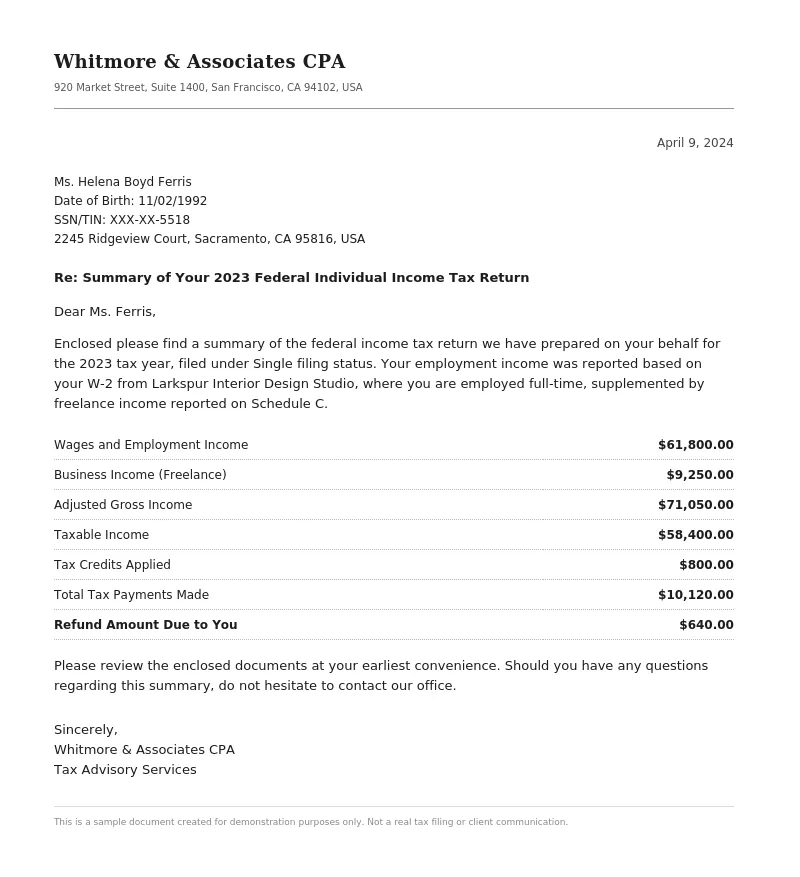
Select a document and press Parse
Want to run it on your own documents?
Ready to integrate tax form extraction into your workflow? Sign up for a free API key and start testing.Business advantages
- No template training needed: works out of the box on the 2024 Form 1040.
- Credit-based pricing with a free tier to start, no credit card required.
- Processes both digital and scanned documents through a single endpoint.
- Returns structured JSON ready for direct integration into tax software and analytics pipelines.
Frequently asked questions
How much does it cost to extract data from a 1040 form?
ByteIt uses simple, usage-based pricing with a free tier to get started and competitive per-page rates that typically cost just a few cents per page. See the pricing page on byteit.ai for current plans and rates.
How do I integrate the 1040 extraction into my application?
ByteIt exposes a simple REST API. Set the `form_type` parameter to `A_1040_2024` and send the document as a PDF, JPG, or PNG. The response returns structured JSON with all extracted fields. You can connect the output to your tax software, database, or workflow tools using n8n, Zapier, or Make.
Does the extraction work with scanned or low-quality images of a 1040?
Yes. ByteIt's vision-language model handles scanned documents, photocopies, and photographs of printed 1040 forms. The system automatically detects dense or distorted layouts and applies advanced processing, which may consume additional credits based on complexity.
What filing statuses and schedules does the 1040 extraction cover?
The model captures the filing status field (single, married filing jointly, married filing separately, head of household, qualifying surviving spouse) from the main 1040 form. Separate schedules such as Schedule C (business income) are handled as their own document types rather than sub-fields of the 1040.
Can the API extract line-item details from supporting schedules attached to a 1040?
The current `A_1040_2024` model captures data from the first two pages of the 1040 form, covering taxpayer identity, income totals, adjustments, tax computation, and refund/amount owed. Supporting schedules (e.g., Schedule A, C, D, E) are not included in this model and must be processed separately if line-item detail is required.
Is the extracted data accurate enough for tax filing purposes?
ByteIt is designed to reduce manual data entry and accelerate review workflows. The engine returns a confidence signal for each extracted field. We recommend that tax professionals review extracted values before filing, as you would with any automated data capture tool.
What file formats are supported for 1040 uploads?
ByteIt accepts PDF (digital and scanned), JPEG, PNG, TIFF, and other common image formats. The same endpoint handles both clean digital PDFs and document scans without requiring different configuration.
Related documents
Invoice
Extract invoice number, vendor data, line items, VAT, and totals from PDF invoices, scanned invoices, and receipt images with ByteIt's invoice data extraction API.
Receipt
Extract merchant name, line items, totals, VAT, and payment method from receipts with ByteIt's AI receipt parser. No templates, no training – just structured JSON from most common receipt formats.
Bank Statement
Extract account holder, IBAN, transaction dates, debit/credit amounts, and balances from PDF and scanned bank statements with ByteIt's OCR API.
Purchase Order
Extract key fields from purchase orders automatically, PO number, line items, supplier details, totals and more. AI-powered OCR for any PO layout.