
Benefits
Turn receiving clerks into exception verifiers instead of data-entry operators, cutting the time spent handling each slip from minutes to seconds.
Eliminate the 1–3% per-field error rate that manual typing introduces into inventory records, errors that only surface weeks later as stock discrepancies.
Remove the bottleneck caused by supplier layout variation: no templates to maintain, no retraining when a vendor redesigns their slip.
Speed up three-way matching by making packing slip data available in your purchasing and receiving workflow immediately after upload.
How it works
- Step 1
Upload
Send the document to the API as a file or a URL no special formatting required.
- Step 2
The engine reads the document
The engine analyzes the page layout and identifies the content that matters. ByteIt's extraction engine reads the full structure of a packing slip, header fields, shipping metadata, and the line-item table of packed goods, and outputs structured data even when no two suppliers use the same layout.
- Step 3
Structured JSON is returned
Every extracted element comes back as structured JSON, positioned and typed, ready to feed into downstream systems.
- Step 4
Confidence-based review
Each field carries a confidence score, so low-confidence results can be routed for human review instead of trusted blindly.
Extractable fields
Features
Reads packing slips from any format, PDF, JPG, PNG, or scanned multi-page documents, without template configuration.
Extracts full line-item tables including SKU or UPC, product description, quantity shipped, and quantity backordered or out of stock.
Captures header-level fields such as packing slip number, purchase order number, ship date, shipping address, and carrier tracking details.
Returns clean JSON compatible with warehouse management systems, ERPs, and workflow automation tools like n8n, Zapier, or Make.
Handles low-quality images and phone-captured photographs of paper packing slips reliably.
Use cases
Receiving verification at warehouse intake
When a delivery arrives, scan each packing slip into ByteIt and verify the structured output against the shipment within seconds. Flag quantity mismatches and out-of-stock items immediately instead of discovering them during cycle counts weeks later.
Three-way matching between PO, packing slip, and invoice
Automatically match the purchase order, packing slip, and supplier invoice by connecting ByteIt's output to your accounting system through n8n, Zapier, or Make. Reduce the manual reconciliation effort across procurement, receiving, and accounts payable.
Multi-supplier consolidation for 3PLs
Third-party logistics providers receive packing slips from dozens of different suppliers, each with a unique format. ByteIt normalises all of them into a single structured schema, so a 3PL's receiving system processes every client's shipment the same way.
Real-time inventory update at goods receipt
Route the extracted line-item data directly from ByteIt into your WMS or ERP to update stock-on-hand records as soon as goods are received. Remove the lag between physical receipt and system update that causes overselling or stockout decisions.
Cross-border shipment verification for freight forwarders
Freight forwarders handling 50–200 shipments per week can extract HS codes, weights, quantities, and packaging details from each packing list and feed them into customs documentation workflows, reducing manual re-keying and transcription errors.
LIVE DEMO
Try packing slip extraction yourself
Upload a sample packing slip in PDF, JPG, or PNG format and see the extracted fields returned as structured JSON in seconds.
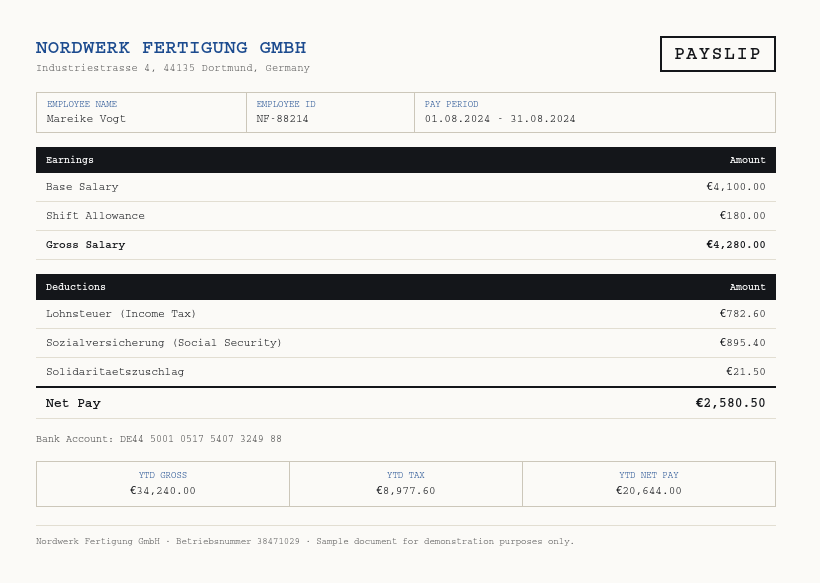
Select a document and press Parse
Want to run it on your own documents?
Ready to remove manual data entry from your dock? Request a key to get started.Business advantages
- No templates means no maintenance when suppliers change their format.
- Works with phone-captured photos, not just clean PDFs.
- Connects directly to your warehouse stack via workflow automation tools.
- Priced per document, not per field, unlimited fields per packing slip.
Frequently asked questions
How does ByteIt handle packing slips from suppliers I have never seen before?
ByteIt uses vision-based AI that reads the document the same way a human would, by recognising labels, table structures, and visual hierarchy, instead of matching a pre-defined template. A packing slip from a new supplier works on the first upload.
What file formats are supported for packing slip extraction?
ByteIt accepts PDF, JPG, and PNG. This includes scanned multi-page PDFs, digitally generated PDFs, and photographs of paper packing slips taken with a smartphone camera.
Can it extract line items like SKU, quantity, and description from a packing slip table?
Yes. ByteIt identifies the line-item table on the packing slip and extracts each row, including SKU or UPC, product description, quantity shipped, and any out-of-stock or backordered quantities, returning them as an array in the JSON output.
How do I send extracted packing slip data into my warehouse management system?
ByteIt returns structured JSON via API. You can connect it to your WMS or ERP directly, or use workflow automation tools such as n8n, Zapier, or Make to route the data without writing custom integration code.
Does ByteIt handle multi-page packing slips?
Yes. The engine processes multi-page documents end to end, treating them as a single document. Line items that span across pages are consolidated into one line-item table.
How accurate is packing slip extraction compared to manual data entry?
Manual typing of packing slip data typically carries a 1–3% per-field error rate. ByteIt's AI extraction reduces that significantly by removing the re-typing step entirely, though accuracy depends on document quality and legibility. Low-quality scans or heavily obscured text may require human verification on specific fields.
What is the difference between extracting a packing slip and an invoice?
An invoice carries prices, tax amounts, and payment terms for accounts payable. A packing slip carries shipped quantities, SKUs, and packaging details for warehouse receiving. ByteIt treats them as separate document types because the relevant fields and downstream workflows are entirely different.
Related documents
Delivery Notes
Extract delivery dates, item quantities, recipient details, and proof of delivery signatures from any delivery note or POD. No templates, no manual entry.
Dispatch Notes
Extract dispatch notes, packing slips, and delivery confirmations into structured JSON. Automate goods-receipt matching and carrier reconciliation with AI.
Bill Of Lading
Extract structured data from bills of lading, shipper, consignee, container IDs, cargo details, and routing. Supports ocean, road, and multimodal BOL formats.
Custom Declarations
Extract structured data from customs declarations, SAD (C88), CN22, CN23, and other import/export forms. HS codes, declared values, parties, and line items from PDFs and scans.
Dangerous Goods Declarations
Extract structured data from Dangerous Goods Declarations (DGD). Capture UN numbers, hazard classes, shipping details, and emergency contact info from IATA and IMDG forms.